

- Your cart is empty Browse Shop
On-Page SEO Checklist to Rank Higher on Google
Key takeaways
- On-page SEO is everything you control on the page itself: titles, headings, content, internal links, URLs, images and page speed.
- Match the content to search intent first, then optimise titles and meta descriptions to earn the click.
- A single H1 with a clear title tag and a descriptive meta description gives every page a strong foundation.
- Page speed and Core Web Vitals now affect both ranking and conversions, so treat them as part of on-page work.
- Work through the checklist on every page before you publish, then review live pages quarterly.
An on-page SEO checklist is a repeatable set of steps you apply to each page so Google can understand it and searchers want to click it. Work through the same points every time you publish or update a page, and your rankings become the result of a process rather than guesswork.
On-page SEO covers everything you control on the page itself: the title tag, the meta description, the headings, the body content, the URL, your internal links, image alt text, structured data and page speed. Off-page factors like backlinks matter too, but they are harder to influence. The items below are all within your reach, so they are the fastest way to improve how a page performs.
This guide walks through each area, then gives you a step-by-step checklist you can apply to every page on your site.
Optimising title tags, meta descriptions and headings
The title tag is the single most important on-page element. It tells Google what the page is about and it is usually the clickable headline in search results.
Keep these points in mind for titles:
- Aim for about 50 to 60 characters so the title is less likely to be cut off.
- Put the primary keyword near the front, written naturally.
- Write one clear title per page, with no duplicates across the site.
- Make each title genuinely describe the page, not just stuff in keywords.
The meta description does not directly affect rankings, but it heavily influences whether someone clicks. Write 120 to 155 characters that summarise the page and give the reader a reason to choose your result. Treat it like ad copy for a free listing.
Headings give the page structure. Use one H1 that matches the page topic, then H2s for main sections and H3s for sub-points. This hierarchy helps both readers scanning the page and search engines parsing it. Avoid skipping levels or using headings purely for visual size.

Writing content that matches search intent
Before you write a word, look at what already ranks for your target keyword. The pages Google rewards tell you what searchers actually want. If the top results are step-by-step guides, a sales page will struggle no matter how well it is optimised.
Search intent usually falls into a few buckets:
- Informational: the reader wants to learn or solve a problem.
- Commercial: they are comparing options before buying.
- Transactional: they are ready to act or purchase.
- Navigational: they are looking for a specific site or brand.
Match your format to the intent. An informational query deserves a thorough, well-organised answer. A commercial query deserves clear comparisons. Answer the main question early in the page, then expand with the detail, examples and depth that a reader needs to feel the topic is fully covered. Depth built around real intent beats a thin page padded with keywords.
Keyword research sits underneath all of this. If you want to pick targets with purpose, our guide to building a keyword research strategy that works walks through how to find and prioritise the terms worth ranking for.
Internal linking and URL structure best practices
Internal links pass context and authority between your pages and help Google discover everything on your site. They also keep readers moving through related content.
Good internal linking habits:
- Link from new pages to relevant existing ones, and update older pages to point at the new one.
- Use descriptive anchor text that describes the destination, not "click here".
- Point a few strong links at the pages you most want to rank.
- Keep important pages within a few clicks of the homepage.
URLs should be short, readable and descriptive. A URL like /on-page-seo-checklist tells both people and search engines what the page covers. Use hyphens between words, keep it lowercase, and avoid long strings of numbers or parameters. Set the URL once and avoid changing it later, since changes require redirects and can cost you ranking signals if handled carelessly.
Image alt text, schema markup and page speed basics
These three technical elements are easy to skip and easy to get right.
Image alt text describes what an image shows. It helps screen reader users and gives search engines context for image search. Write a short, natural description of the image and include a keyword only when it genuinely fits.
Schema markup is structured data that helps search engines understand your content and can earn rich results like FAQ snippets, review stars or breadcrumbs. Google publishes the supported types and requirements in its structured data documentation, which is the right reference to follow rather than guessing at formats.
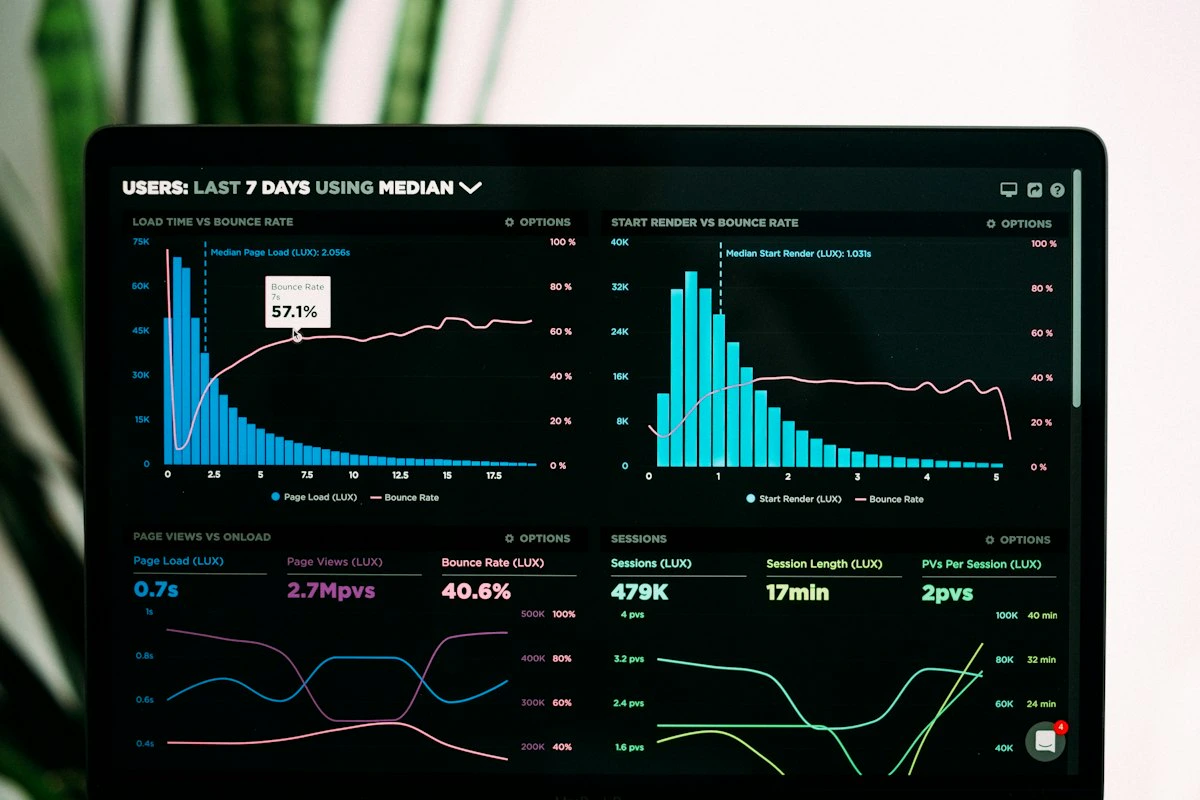
Page speed now carries real weight. Core Web Vitals measure loading, interactivity and visual stability, and they influence both rankings and how readers behave. According to the HTTP Archive Web Almanac 2025, 48% of mobile websites and 56% of desktop websites passed all three Core Web Vitals in 2025, which means more than half of mobile pages still fall short and a fast site has room to stand out.
The payoff is measurable. Google's own Core Web Vitals business impact case studies report that Lazada saw a 16.9% uplift in mobile conversion rates after improving loading performance, and Nykaa's 40% LCP improvement correlated to 28% additional organic traffic. Speed work moves the numbers that matter, so treat it as core on-page work rather than an afterthought.
If your pages feel slow, start by compressing images, reducing scripts and improving server response time.
A step-by-step on-page SEO checklist you can apply to every page
Run through this list before you publish any page, and revisit it when you refresh older content.
- Confirm the target keyword and the search intent behind it.
- Write a title tag of about 50 to 60 characters with the keyword near the front.
- Write a meta description of 120 to 155 characters that earns the click.
- Use one H1 that matches the topic, then logical H2s and H3s.
- Answer the main question early, then cover the topic in full depth.
- Keep the URL short, lowercase and descriptive.
- Add internal links to and from relevant pages with clear anchor text.
- Write descriptive alt text for every meaningful image.
- Add the appropriate schema markup where it applies.
- Check page speed and Core Web Vitals, and fix the biggest issues.
- Make sure the page reads well on mobile.
- Proofread, then publish.
Keep the checklist somewhere your whole team can see it so every page meets the same standard.
Putting the checklist to work
Pick one important page today and run it through the twelve steps above. You will usually find two or three quick wins, a weak title, a missing internal link or a slow-loading image, that you can fix in minutes. Repeat the process page by page and the gains compound across your whole site.
If you would rather hand the work to a team that does this every day, the SEO specialists at Uniclkay apply this same checklist across client sites in Sri Lanka and beyond. Either way, the method is the same: treat on-page SEO as a habit, not a one-time task.
Frequently asked questions
What is an on-page SEO checklist?
It is a repeatable list of elements you optimise on each page, including the title tag, meta description, headings, content, URL, internal links, images and page speed. You apply it before publishing and when updating older pages.
How long should a title tag be?
Aim for roughly 50 to 60 characters so Google is less likely to truncate it in search results. Put the primary keyword near the front and keep the wording natural.
Does page speed affect SEO rankings?
Yes. Core Web Vitals are a ranking signal, and faster pages also convert better. Google's own case studies link speed gains to higher sales, conversions and organic traffic.
What is the difference between on-page and off-page SEO?
On-page SEO covers elements on your own pages, such as content, titles and internal links. Off-page SEO covers external signals like backlinks and mentions from other sites.